> ## Documentation Index
> Fetch the complete documentation index at: https://docs.lemonado.io/llms.txt
> Use this file to discover all available pages before exploring further.
# Ask Lemonado
> Ask clear marketing questions and turn the answers into useful work.
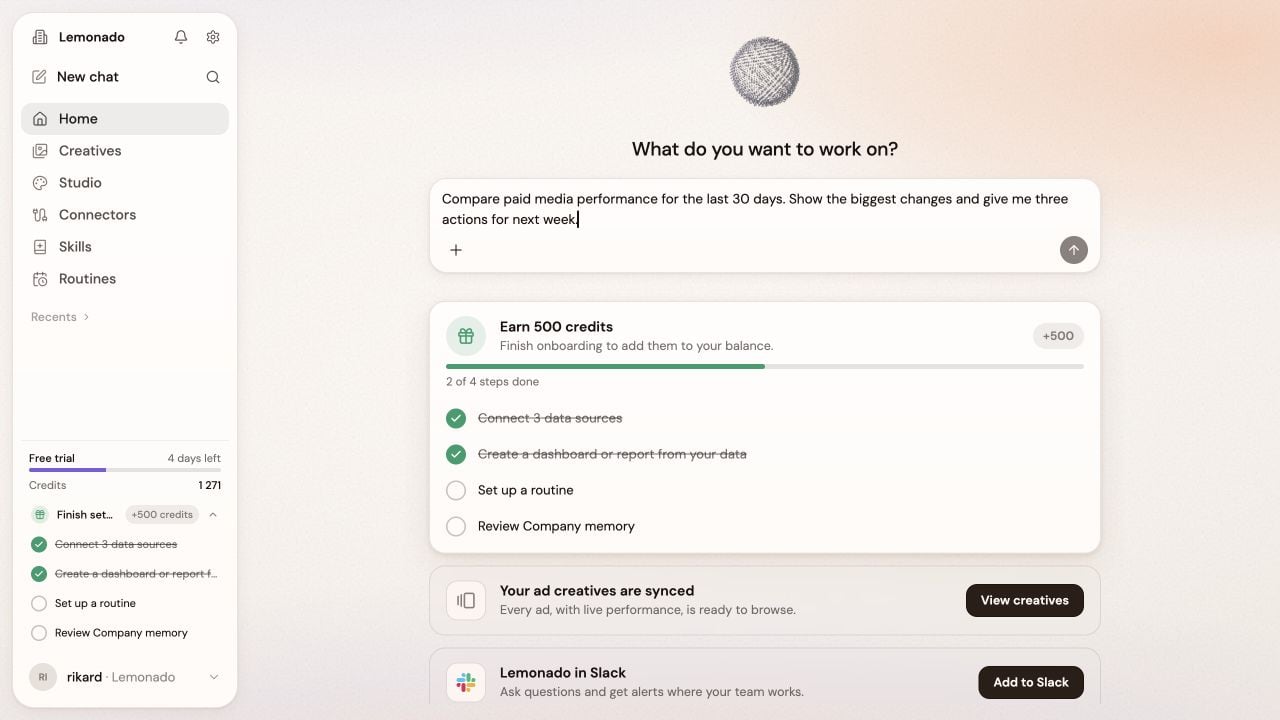
Open **Home** or click **New chat**. Describe the result you want in the same words you would use with a teammate.
## Write a useful request
Include three things:
1. The question or outcome.
2. The time period or audience.
3. The format you want.
For example:
> Compare paid media performance for the last 30 days. Show the biggest changes and give me three actions for next week.
 ## Add more context
* Click the **+** to attach a file.
* Type `/` to choose a skill.
* Ask a follow-up instead of starting over.
* Pin or organize important chats so your team can find them again.
If the first answer is too broad, add a date range, channel, market, or goal.
This documentation is built and hosted on [Mintlify](https://mintlify.com), a developer documentation platform.
## Add more context
* Click the **+** to attach a file.
* Type `/` to choose a skill.
* Ask a follow-up instead of starting over.
* Pin or organize important chats so your team can find them again.
If the first answer is too broad, add a date range, channel, market, or goal.
This documentation is built and hosted on [Mintlify](https://mintlify.com), a developer documentation platform.