> ## Documentation Index
> Fetch the complete documentation index at: https://docs.lemonado.io/llms.txt
> Use this file to discover all available pages before exploring further.
# Teach Lemonado about the company
> Set the brand voice and review the knowledge Lemonado uses in its work.
Tell Lemonado who you help, what you sell, and how you want to sound. It can use that context in future work.
Click the gear icon beside the company name.
 ## Brand
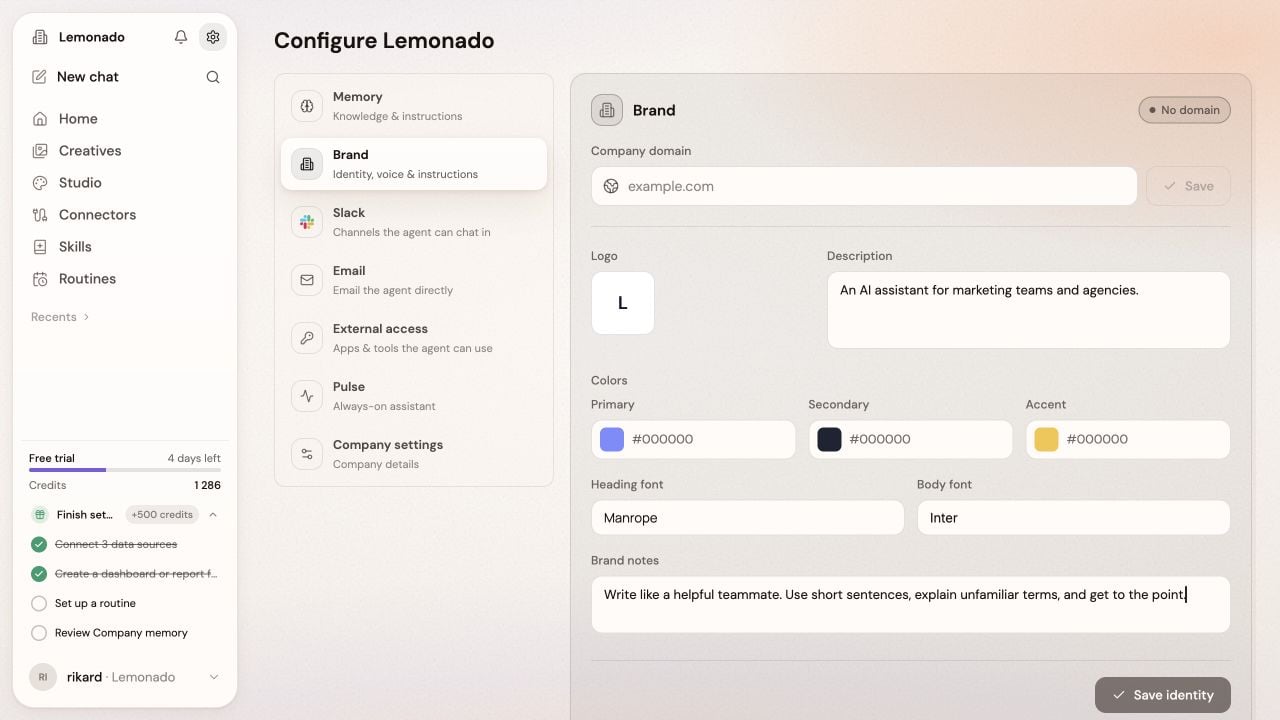
Review the logo, colors, fonts, description, and brand notes. Add writing guidance such as “Use short sentences and avoid industry jargon.”
## Memory
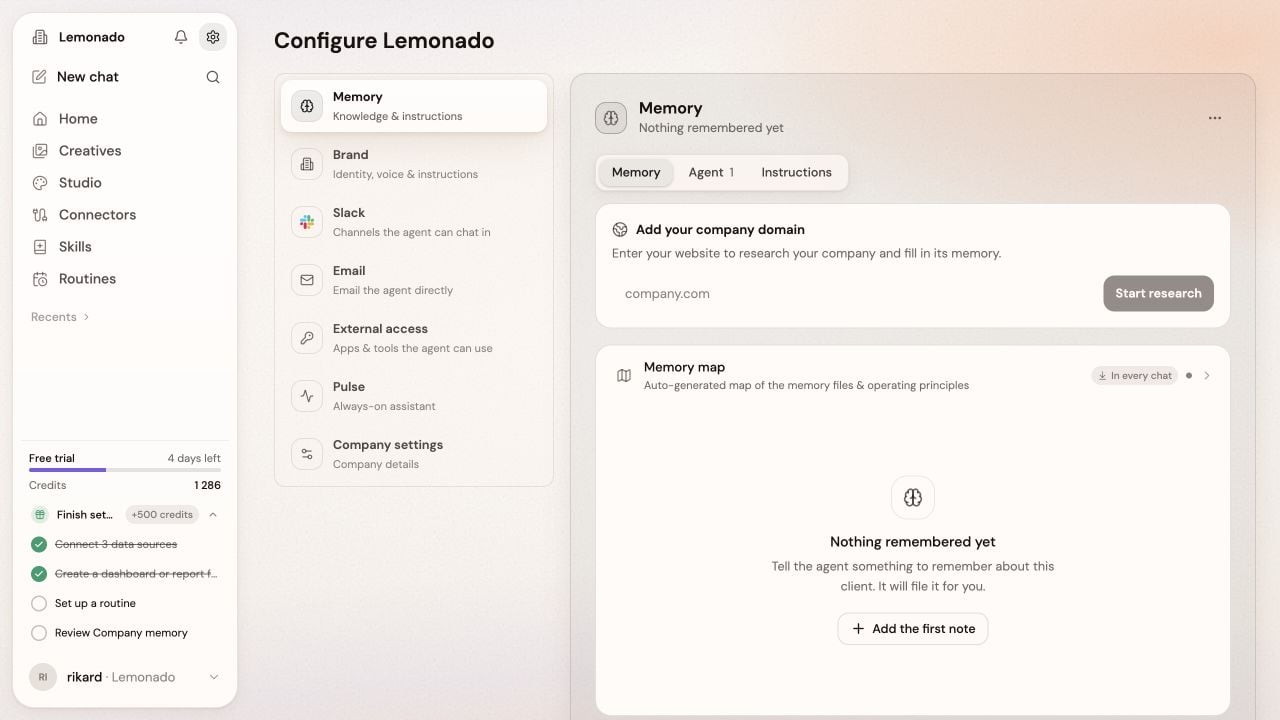
Review the company knowledge and instructions. Add missing details about your audience, offer, competitors, or goals. Correct anything that is out of date.
## Brand
Review the logo, colors, fonts, description, and brand notes. Add writing guidance such as “Use short sentences and avoid industry jargon.”
## Memory
Review the company knowledge and instructions. Add missing details about your audience, offer, competitors, or goals. Correct anything that is out of date.
 ## Other settings
* **Slack**, **Teams**, and **Email** let you [talk to Lemonado outside the app](/team-channels).
* **External access** lets [other AI apps read this company's data](/external-ai).
* **Pulse** lets you turn opportunities and suggestions for repeat work on or off.
* **Company settings** holds the company details.
Only owners and admins can change these settings. Ask yours if you spot something that needs updating.
This documentation is built and hosted on [Mintlify](https://mintlify.com), a developer documentation platform.
## Other settings
* **Slack**, **Teams**, and **Email** let you [talk to Lemonado outside the app](/team-channels).
* **External access** lets [other AI apps read this company's data](/external-ai).
* **Pulse** lets you turn opportunities and suggestions for repeat work on or off.
* **Company settings** holds the company details.
Only owners and admins can change these settings. Ask yours if you spot something that needs updating.
This documentation is built and hosted on [Mintlify](https://mintlify.com), a developer documentation platform.