> ## Documentation Index
> Fetch the complete documentation index at: https://docs.lemonado.io/llms.txt
> Use this file to discover all available pages before exploring further.
# Getting started
> Connect your first source and complete your first useful marketing task.
Lemonado helps you ask questions about your marketing and turn the answers into reports. Start with one company, one connection, and one question.
[Open Lemonado](https://app.lemonado.io) and follow the setup prompts. Add your company name and website so Lemonado can learn about the business.
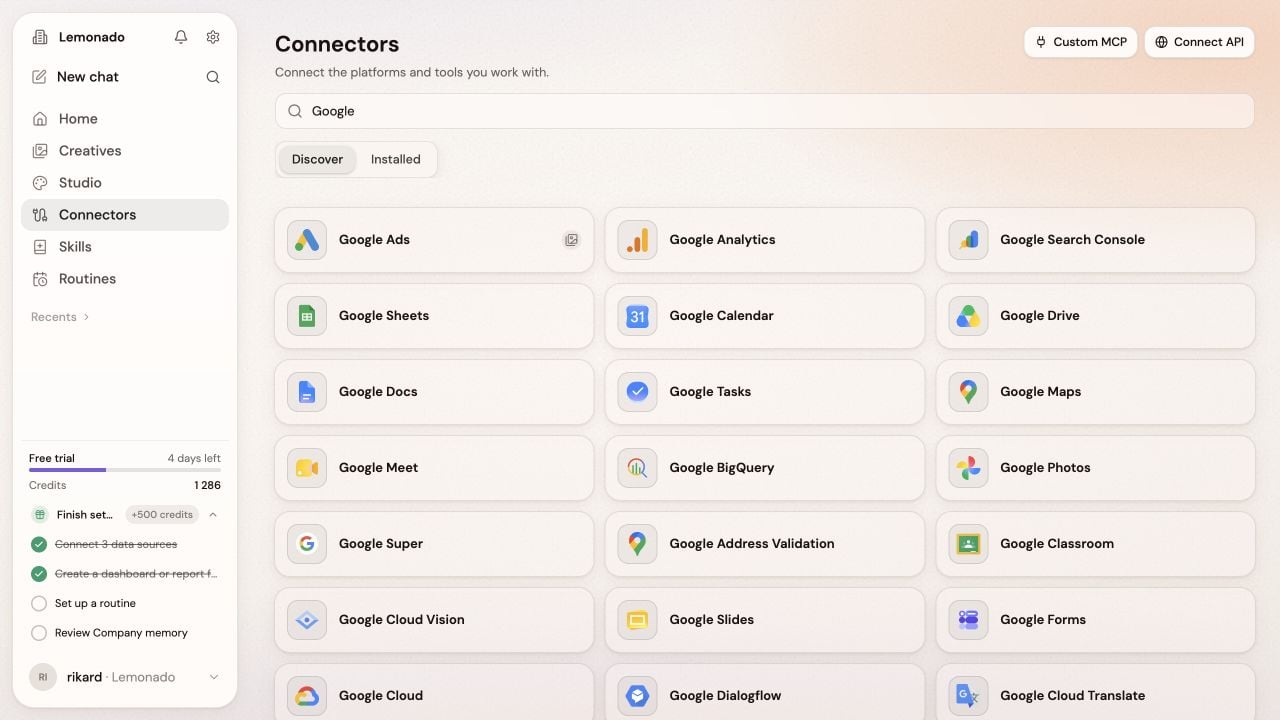
Open **Connectors**, choose the tool you use most, and follow the sign-in steps. Select the account you want to work with.
Click the gear beside the company name. Review **Memory** and **Brand**, and correct anything that is missing or out of date.
Open **New chat** and try: “Summarize last week's ads. What changed, and what should I look at first?”
 Check the dates and sources in the answer. Ask a follow-up, or ask Lemonado to turn it into a report.
Working with clients? Use an [agency workspace](/agencies) to keep each client's data and work separate.
Learn where to find each part of Lemonado.
This documentation is built and hosted on [Mintlify](https://mintlify.com), a developer documentation platform.
Check the dates and sources in the answer. Ask a follow-up, or ask Lemonado to turn it into a report.
Working with clients? Use an [agency workspace](/agencies) to keep each client's data and work separate.
Learn where to find each part of Lemonado.
This documentation is built and hosted on [Mintlify](https://mintlify.com), a developer documentation platform.