> ## Documentation Index
> Fetch the complete documentation index at: https://docs.lemonado.io/llms.txt
> Use this file to discover all available pages before exploring further.
# Meet Lemonado
> Ask questions about your marketing, create reports, and keep up with your campaigns.
Lemonado is an AI assistant for marketing teams and agencies. Connect your tools and ask about your campaigns:
> What changed in our ads last week, and what should we look at first?
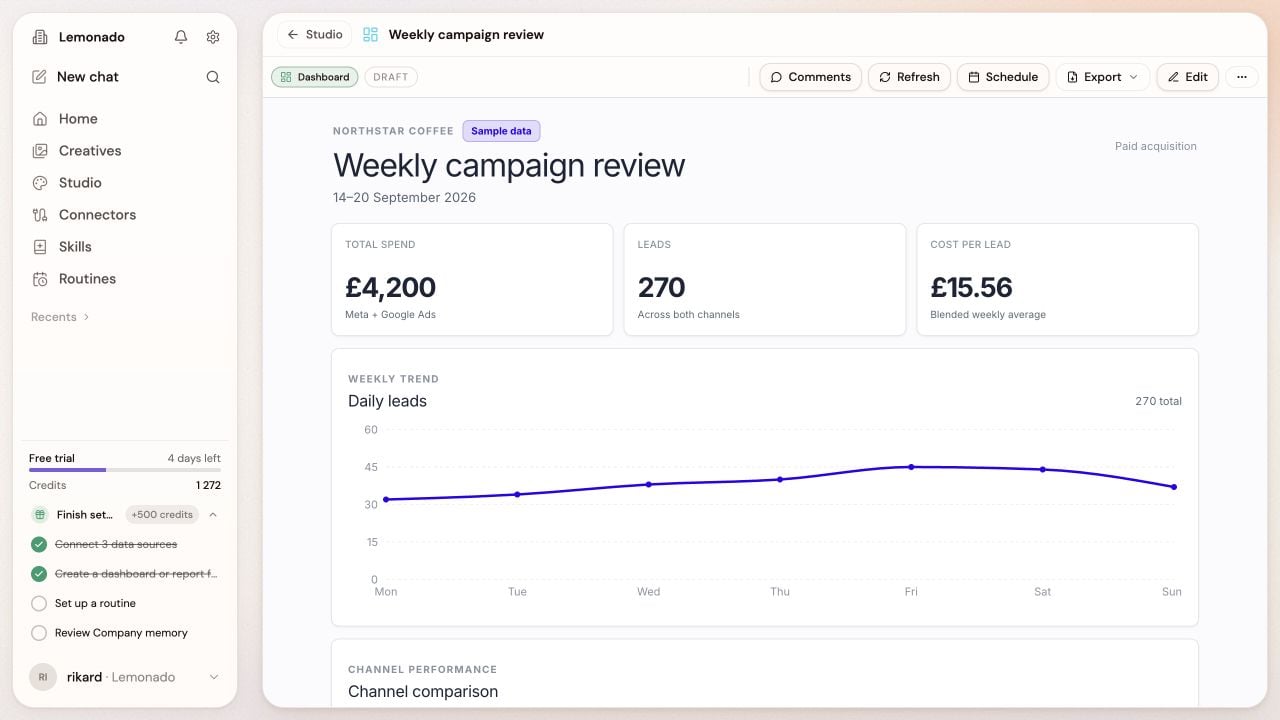 Turn an answer into a report, compare ad creative, or set up a weekly check.
## Your company or your clients
Review performance across your tools and share the findings with your team.
Keep each client's data and work separate. Reuse your own skills and templates.
One connection and one question are enough to get started.
This documentation is built and hosted on [Mintlify](https://mintlify.com), a developer documentation platform.
Turn an answer into a report, compare ad creative, or set up a weekly check.
## Your company or your clients
Review performance across your tools and share the findings with your team.
Keep each client's data and work separate. Reuse your own skills and templates.
One connection and one question are enough to get started.
This documentation is built and hosted on [Mintlify](https://mintlify.com), a developer documentation platform.