> ## Documentation Index
> Fetch the complete documentation index at: https://docs.lemonado.io/llms.txt
> Use this file to discover all available pages before exploring further.
# Create in Studio
> Create reports, dashboards, and slides from your marketing data.
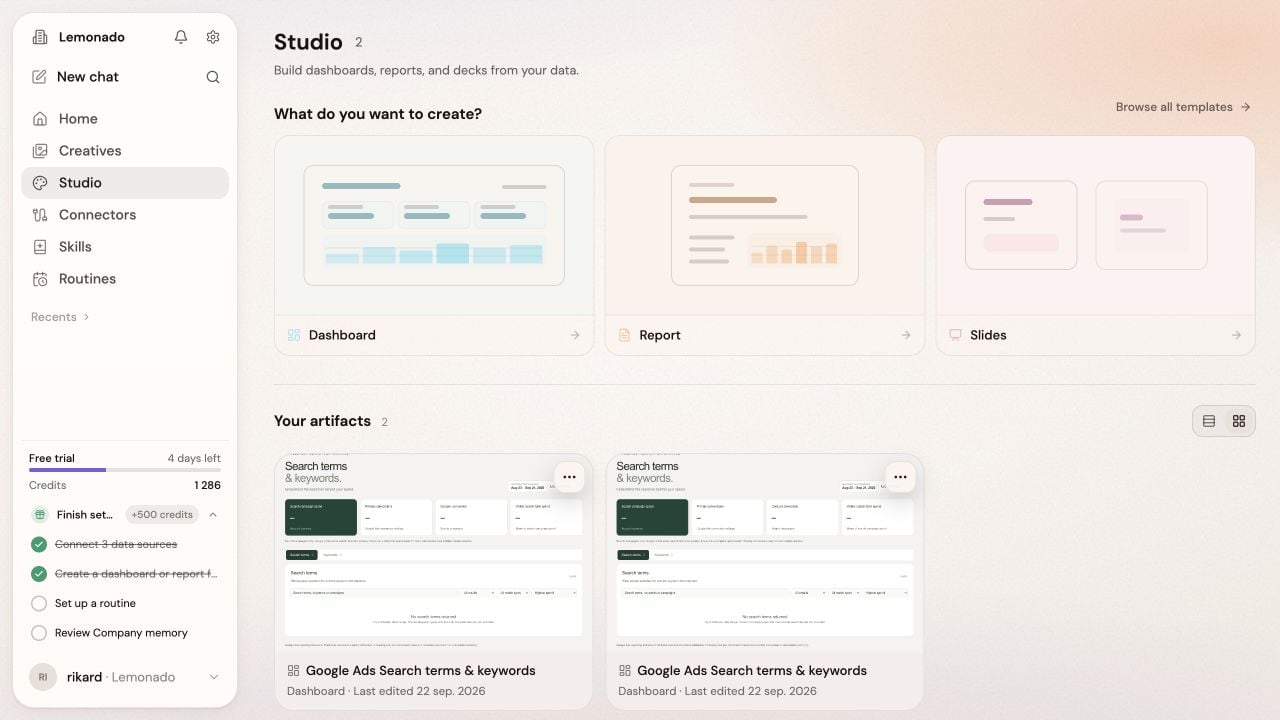
Use Studio to make a report for a meeting, a dashboard to check regularly, or slides to share with a client.
 ## Create something new
1. Open **Studio**.
2. Choose **Report**, **Dashboard**, or **Slides**.
3. Choose **Start blank** or a template.
4. Describe the audience and the decision the work should support.
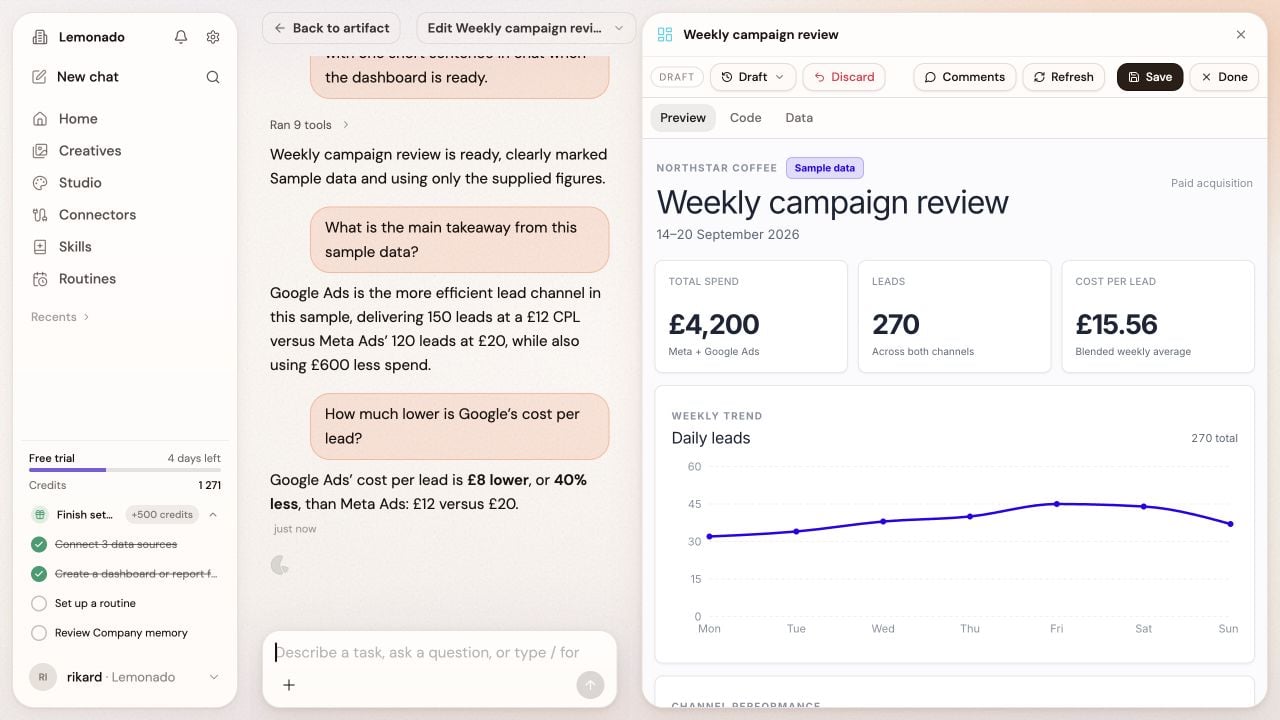
5. Review the result and ask for changes in the attached chat.
## Create something new
1. Open **Studio**.
2. Choose **Report**, **Dashboard**, or **Slides**.
3. Choose **Start blank** or a template.
4. Describe the audience and the decision the work should support.
5. Review the result and ask for changes in the attached chat.
 ## Send a regular update
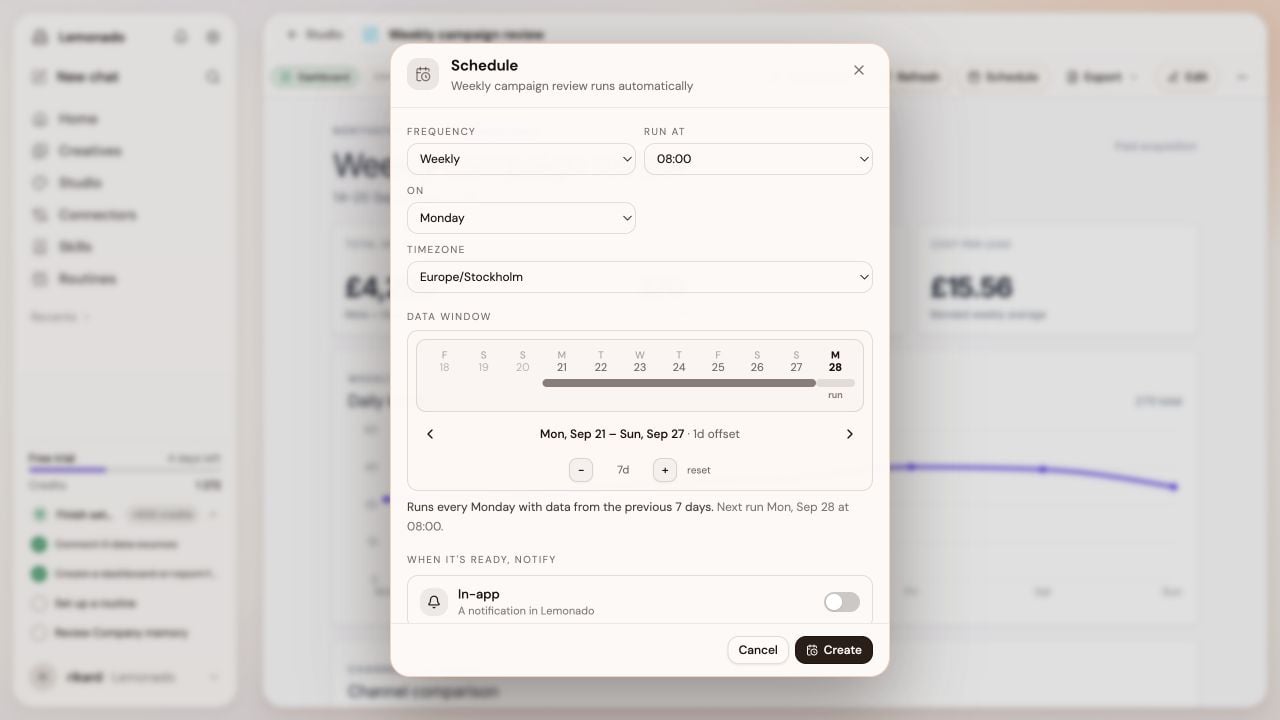
Open the finished work and choose **Schedule**. Set how often it runs, the time zone, and the dates each update should cover. Choose who to notify when it is ready.
## Send a regular update
Open the finished work and choose **Schedule**. Set how often it runs, the time zone, and the dates each update should cover. Choose who to notify when it is ready.
 You can find scheduled reports again in [Routines](/routines).
Before sharing, check the date range, sources, and conclusions. Ask Lemonado to explain anything that looks unusual.
Publish approved Studio work through the client portal.
This documentation is built and hosted on [Mintlify](https://mintlify.com), a developer documentation platform.
You can find scheduled reports again in [Routines](/routines).
Before sharing, check the date range, sources, and conclusions. Ask Lemonado to explain anything that looks unusual.
Publish approved Studio work through the client portal.
This documentation is built and hosted on [Mintlify](https://mintlify.com), a developer documentation platform.