> ## Documentation Index
> Fetch the complete documentation index at: https://docs.lemonado.io/llms.txt
> Use this file to discover all available pages before exploring further.
# Why Lemonado
> Spend less time collecting numbers and rebuilding the same reports.
Use Lemonado when you need an answer from your marketing data, a report to share, or a regular check you do not want to repeat by hand.
## For marketing teams
Ask one question across your connected tools. Follow up on the result without copying numbers into another spreadsheet.
For example: compare last month's campaigns, investigate a rise in cost per lead, then create a short report for your next meeting.
## For agencies
Give each client a separate space for their data, brand, chats, and reports. Reuse the same reporting template or review process across clients.
Set up [Routines](/routines) for recurring checks and use the [client portal](/portal) to share work you have reviewed.
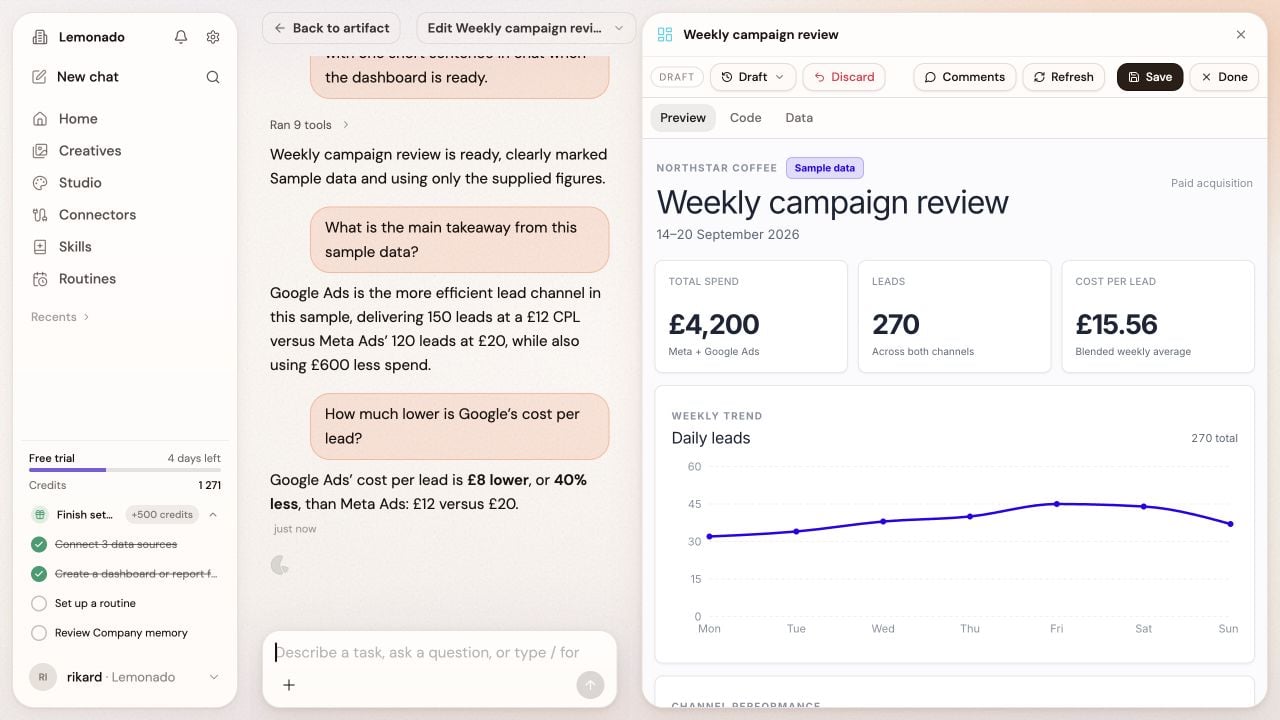 You stay in charge. Check the sources, dates, and conclusions before sharing a result or acting on it.
Connect one source and ask one useful question.
This documentation is built and hosted on [Mintlify](https://mintlify.com), a developer documentation platform.
You stay in charge. Check the sources, dates, and conclusions before sharing a result or acting on it.
Connect one source and ask one useful question.
This documentation is built and hosted on [Mintlify](https://mintlify.com), a developer documentation platform.